


Car Play Sync for Android Autu
4.631.00 Reviews
App Specs
- Version
- 1.1.1
- Updated On
- License
- Free
- Downloads
- 100,000+
- Developer
- GenieePlus
- Categories
- Auto & Vehicles
- Platform
- Android
Screenshots
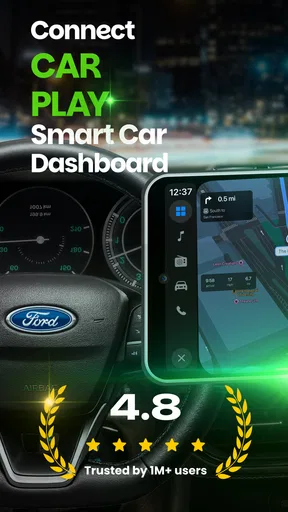
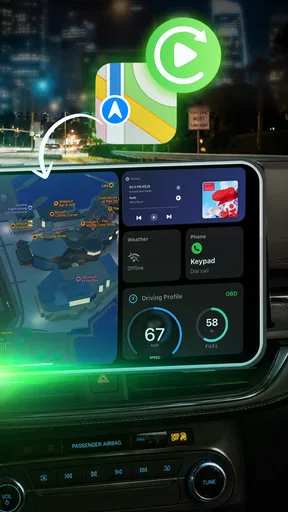
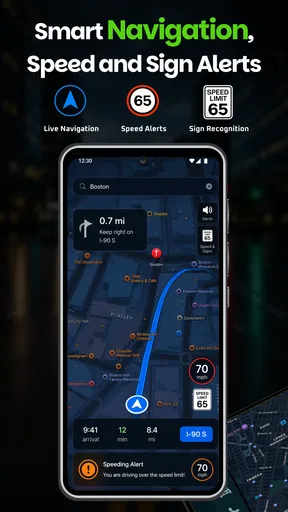
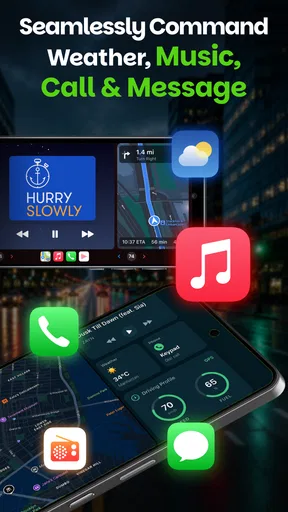
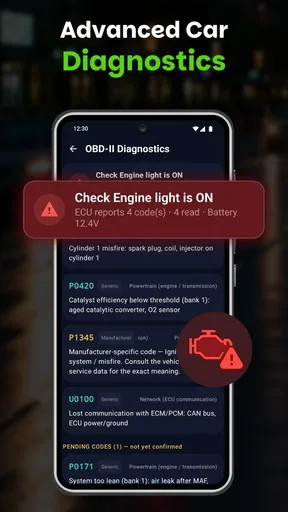
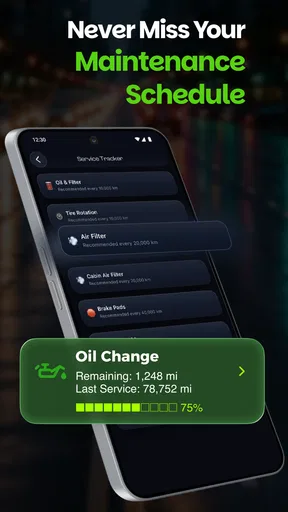
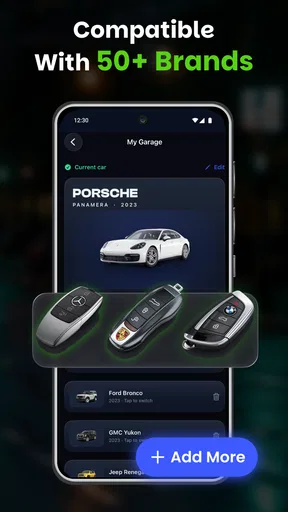
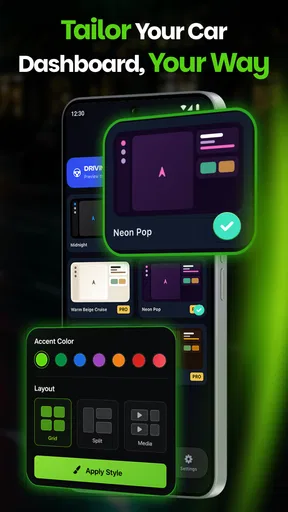
 Analysis by AppCompare
My first question with any phone-to-car dashboard is not how polished it looks, but whether it fits into the small routine of leaving home: get in, connect, set a destination and go. Car Play Sync is built around that kind of wireless, phone-centered use, with mirroring and a driving dashboard at its core. I see the appeal for drivers who want familiar phone functions in a vehicle-facing view, but I would treat it as a companion interface rather than a replacement for a car’s own system.
That distinction matters because the app’s usefulness depends on more than its screen. Your phone and vehicle need to communicate, and connected activities may also depend on the phone’s network access. I would test the whole routine in my own car before making it a regular part of a commute. If you want a simple experiment in bringing your phone experience into the car, it is worth exploring; if you need guaranteed, hands-off reliability from the first trip, I would start with the system already built into the vehicle.
Connection is part of the experience
I’d begin by treating the connection as something to evaluate, not something to take for granted: the phone-to-display link and any network-dependent activity are separate parts of the experience. That distinction helps me identify where a snag is happening and choose a sensible fallback without fiddling with controls on the road. Next, it’s worth considering how those demands change between everyday driving situations.
When the network and device link matter
The appeal of a wireless car dashboard is convenience: fewer steps between picking up your phone and having a driving-oriented view available. But “wireless” does not mean that every part of the experience is independent of connectivity. The phone still needs to communicate with the vehicle or display, and any connected content may also rely on the phone’s own network access. I’d test the complete route from opening the app to reaching the screen you actually want, rather than judging it from the first launch alone.
That distinction matters on a day when you are in a hurry. Before leaving, try pairing while parked, then check whether the same connection returns after you stop and start the car. A setup that works once but needs several taps each time may be fine for occasional use and irritating for a daily commute. I would not make the app the only route to essential navigation until I had seen how consistently it reconnects in my own car.
For a fair trial, start with the phone and vehicle you plan to use most. A successful connection in one car does not automatically tell you how it will behave with another display or another phone. Keep your usual navigation option available while testing, and avoid troubleshooting while driving. This is a small habit, but it turns a frustrating roadside experiment into a controlled check before you set off.
Different drives call for different expectations
On a familiar commute, the benefit of a dashboard is less about discovering new destinations and more about keeping the driving task organized. A larger, vehicle-facing presentation can be easier to glance at than a phone held low or tucked into a cup holder. For a short local trip, I’d focus on whether the interface is readable at a glance and whether the connection is ready before the car moves. If either point feels uncertain, the phone’s standard navigation app may be the simpler choice.
Worth Reading Before You Choose

Flipboard Shows What News Apps Must Do Beyond the Feed

Switching to Android Auto Means Rethinking Your Driving Routine

Google Calendar Makes a Crowded Week Easier to Manage

Ludo King Makes the Most of the Minutes Between Plans

Baby Panda World Brings Quick Play to Modern Phones, but Its Game Library Feels Busy

ESPN’s Live Game View Makes Following Close Games Easier
A longer trip changes the trade-off. You may be more dependent on navigation, audio or other connected phone functions, so a weak mobile signal or a flaky device connection becomes more noticeable. The app’s dashboard concept may help bring those functions together, but it cannot make a dead zone disappear. I would plan around the route and keep a familiar backup available rather than assuming a mirrored screen will always have fresh information.
There is also a difference between being parked and being in motion. While parked, you can safely check pairing, adjust the phone’s connection settings and learn where the controls sit. Once moving, the best interface is the one that asks the least of your attention. I recommend deciding in advance which screen you need and avoiding exploratory tapping on the road; a dashboard should reduce distraction, not become another thing to manage.
What happens when a connection fails
Any app that depends on a phone-to-car link can run into interruptions: the vehicle display may not appear, a connection may drop, or the phone may not return to the same state after a stop. Those are not reasons to assume Car Play Sync is unreliable, but they are realistic situations to account for before depending on it. My practical advice is to test a complete stop-and-resume cycle in a safe setting and note what action, if any, brings the display back.
If something goes wrong, resist the urge to troubleshoot while driving. Pull over safely first, then check the basics in a calm order: confirm the phone is awake, verify the intended wireless connection is available, and reopen the app only if needed. If the car’s own system offers a dependable alternative, use it for that journey. The point is not to force the app to work at all costs; it is to know when switching to a simpler fallback is the safer decision.
A useful, slightly overlooked test is to repeat the same setup after leaving the car for a few minutes. A connection that survives an uninterrupted drive may behave differently after a brief stop, when the phone and car have to establish contact again. Trying this before relying on the app for an unfamiliar route gives you a more honest sense of its routine friction. It also helps you decide whether the convenience is worth the extra setup in your particular vehicle.
Use it thoughtfully when mobile data matters
Because the experience centers on a connected phone, it is sensible to think about mobile data as well as wireless pairing. A mirrored or dashboard-style presentation does not by itself tell you how much data a particular activity will use; that depends on what you do through the phone. If you are concerned about a limited plan, check your phone’s data controls and usage information, and avoid assuming that a car connection makes online services data-free.
For everyday use, I’d separate the tasks that need a live connection from the ones that do not. Route searches, changing destinations and other online actions are the moments most likely to need connectivity. Set up what you can before moving, and keep the phone’s own network status in mind if information stops updating. This is less about restricting the app and more about avoiding surprises when you are far from a strong signal.
Battery use is another sensible part of a long-drive trial. A phone that is communicating wirelessly and displaying a dashboard may need more attention to power than one sitting idle. I would check the phone’s charge before a longer trip and use the charging arrangement already suitable for the car, rather than discovering a low battery after the dashboard has become central to the drive. That simple preparation makes wireless convenience more practical.
A useful fit for some cars, not every driver
One everyday case where I can see the appeal is a driver who shares a car or regularly switches between vehicles. Rather than assuming the same dashboard will behave identically everywhere, I would treat each car as a separate setup and check it while parked. That takes a little time, but it helps avoid carrying assumptions from a successful connection in one vehicle into a different one. If you only drive one familiar car, the benefit is simpler: once you know the routine, you can judge whether it saves effort over your usual phone mount and navigation app.
Compared with a standard phone navigation app, a mirrored dashboard may bring the phone’s driving view closer to the vehicle display, which is the main reason to try this style of tool. Compared with a built-in car system, it adds a phone-based layer rather than relying solely on the manufacturer’s interface. Neither comparison makes one option universally better. A phone app can be the straightforward choice for occasional directions, while a dependable native system may be preferable when you want fewer connection steps. Car Play Sync makes most sense if the display link itself solves a real annoyance for you.
Small habits that make the trial more useful
To avoid confusing a temporary network problem with a pairing problem, test in two stages: first confirm that the phone and vehicle display connect, then check any online task you plan to use. If the display appears but content does not update, you have a different issue to consider than if the display never appears. This simple distinction makes troubleshooting more focused and keeps you from repeatedly changing settings without knowing what you are trying to fix.
I would also make the first test on a route you already know, not on the way to an appointment or an unfamiliar destination. You can compare the dashboard’s readability and routine against your normal setup without depending on it for critical directions. If it proves consistent, try it on a longer drive later. If the connection needs repeated attention, you have learned that before the app is under pressure to perform.
Who should give it a try—and who may prefer another option
Car Play Sync is an Android app in the auto and vehicles category from GenieePlus. It is free to install, rated for Everyone, and its current version is 1.1.1. The app has a 4.6 average from around 9,100 ratings and has passed 100,000 installs. Those figures suggest that it has attracted a meaningful audience, but they cannot tell you whether its wireless workflow will suit your exact phone and car.
I’d suggest trying it if you want a phone-based dashboard and are willing to spend a little time checking the connection before making it part of your routine. It is particularly relevant for someone whose car setup feels limited and who wants to see whether a mirrored interface can make familiar phone functions easier to reach. The short store label, “Car Play Sync,” is less informative than the actual concept: judge it by the quality and consistency of the connection you can establish, not by the name alone.
On the other hand, drivers who already have a built-in system that works reliably may gain little from adding another layer. If you need a dependable, predictable interface above all else, your car’s native controls or the phone’s standard navigation app may be a better fit. I’d also skip relying on this as a sole driving aid until you have tested it in your own setup. Compatibility and day-to-day behavior matter more than a broad promise of wireless convenience.
Costs, expectations and my connectivity verdict
The app is free, while in-app purchases range from $5.99 to $59.99 per item. I would explore the basic experience and establish whether the connection works for you before considering any purchase. Since the value here depends heavily on your vehicle, phone and habits, paying for extras before confirming that core fit would be a poor order of decisions. The age rating is Everyone, but that does not change the need for drivers to set up and operate it responsibly.
My overall view is cautiously positive: Car Play Sync has a clear use case, but its real strength is conditional. When the phone and car connect smoothly, a dashboard can make a familiar drive feel more organized. When pairing is unreliable, the same convenience can turn into setup work at exactly the wrong moment. I’d make the first test while parked, repeat it after a stop, and keep a fallback ready until the routine feels dependable.
Connectivity is the deciding factor for this app, not an incidental technical detail. If your priority is a wireless, phone-centered dashboard and you are comfortable checking how it behaves in your own car, it is a reasonable free starting point. If you want a system that requires no experimentation, or your existing vehicle interface already does the job, sticking with that familiar option is the more sensible choice. My recommendation is to test it on an ordinary route before trusting it on an important one.
Pros
- Offers a convenient way to mirror compatible phone features on a car display.
- Can make navigation and media controls easier to access while driving.
- May work with supported vehicles and Android Auto-compatible head units.
- Keeps commonly used driving apps within reach on the dashboard.
- A practical option for drivers who want a more connected in-car setup.
Cons
- Requires a compatible car display or head unit to provide its main benefits.
- Some features may depend on your phone model and Android version.
- Connection setup can vary between vehicles and may take some troubleshooting.
- Not every app or phone feature is available through Android Auto.
- The app name may be confusing; check compatibility and permissions before installing.
FAQs for Car Play Sync for Android Autu
What is Car Play Sync for Android Autu?
Car Play Sync for Android Autu is presented as a companion app for connecting an Android phone with a compatible car display. Apps with this name may offer features such as navigation, music playback, calls, or screen mirroring, but the exact capabilities depend on the version and the vehicle. Check the app listing and its permissions before installing, and don’t assume it is an official Apple CarPlay or Google Android Auto product.
Does Car Play Sync for Android Autu work with every car and Android phone?
No single compatibility guarantee applies to every vehicle or phone. The car’s infotainment system must support the connection method the app requires, and the phone must meet the app’s Android version and hardware requirements. Some setups rely on USB, while others may use Bluetooth or Wi-Fi; having Bluetooth alone does not necessarily enable Android Auto. Confirm compatibility in the app listing and your car’s manual before downloading.
Is Car Play Sync for Android Autu the same as Android Auto or Apple CarPlay?
The name may suggest a connection with both platforms, but that does not establish that the app is made by Google or Apple or that it can replace their built-in services. Android Auto and Apple CarPlay have their own compatibility requirements and supported features. Read the developer information, app description, and privacy policy carefully, and use the official Android Auto or CarPlay setup guidance when troubleshooting your vehicle’s native system.
Is Car Play Sync for Android Autu safe, and what permissions might it need?
Safety depends on the specific app and the source from which you install it. A car-connectivity app may request access to Bluetooth, location, contacts, microphone, notifications, or nearby devices to provide functions such as navigation and hands-free calls. Review each permission and decide whether it is necessary for the features you want. Prefer a trusted app store, check recent reviews and developer details, and avoid granting access that seems unrelated.
Is Car Play Sync for Android Autu free, and what should I check before downloading?
Pricing can vary by app version, region, and developer, so check the current store listing for the price, in-app purchases, subscriptions, and any advertised trial. Also review the minimum Android version, supported connection method, update history, and privacy disclosures. If you plan to use it while driving, set it up while parked and test the connection first; never handle your phone or troubleshoot the app on the road.


